
My Card
The My card tab gives you information about a user and devices that have been assigned to him. Furthermore, it gives you the possibility to perform actions on the user and the active devices.
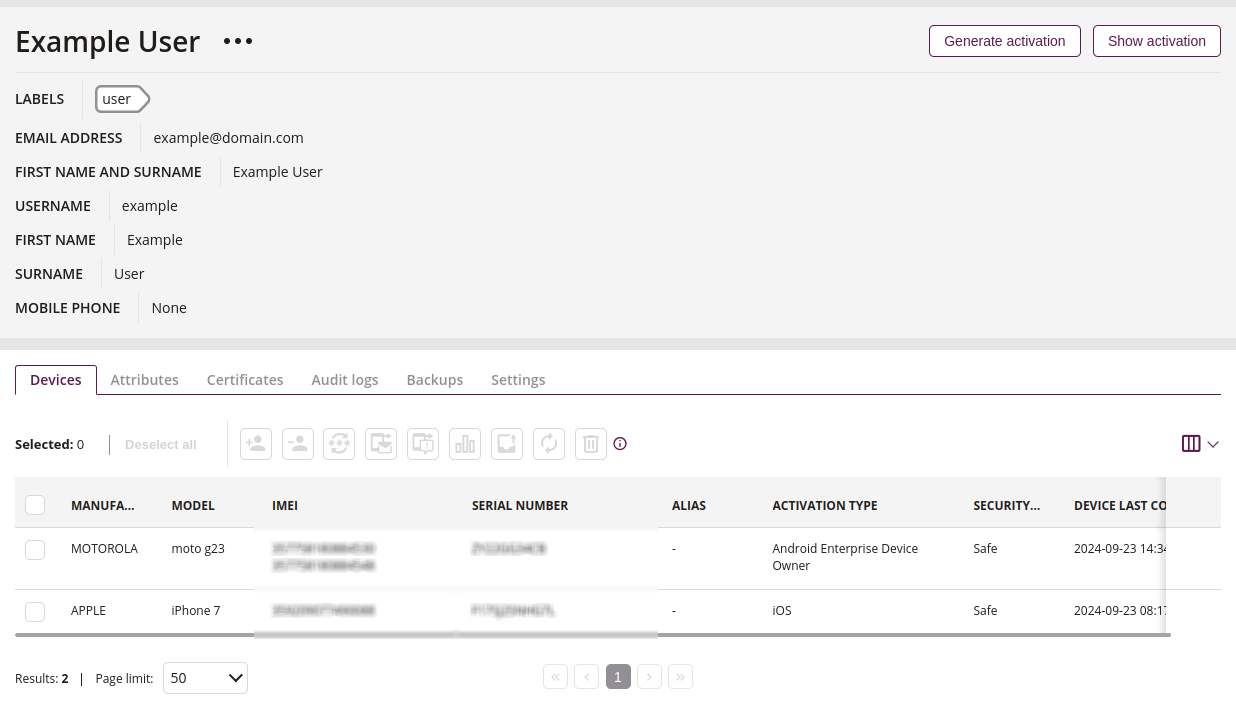
1 User Actions
- Available user actions
- Generate activations
- Send email
- Mark as VIP
- Manage labels
- Reset two-factor authentication
- Change password
- Generate PIN
- Certificates
2 Generate Activation
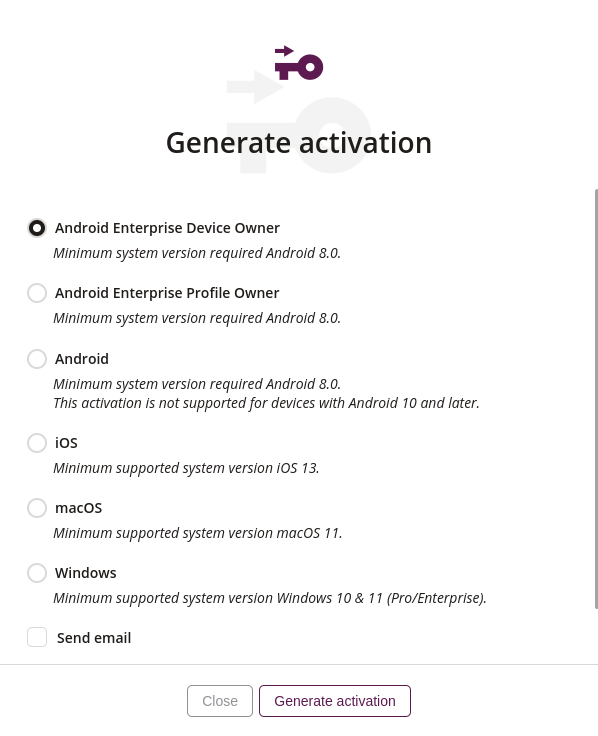
2.1 Activation template
- Select an available activation template from the dropdown list
- Available activation templates for the Android platform include:
- Android Enterprise Device Owner
- Android Enterprise Profile Owner
- Android MDM
- Required
- If you do not have an activation template available, you can create one using this action
- Click on the title to learn how to set it up
2.3 Need help?
- Click if you need help with device activation or want to learn what the given activation means
2.4 Generate activation
- This action allows you to generate an activation for selected platform
2.5 iOS
- Generate activation for devices with the iOS system
2.6 macOS
- Generate activation for devices with the macOS system
2.7 Windows
- Generate activation for devices with the Windows system
3 Show Activation
- Here you can view the activation, that has already been generated