
Templates
Activation templates allow you to quickly create activations with predefined settings.
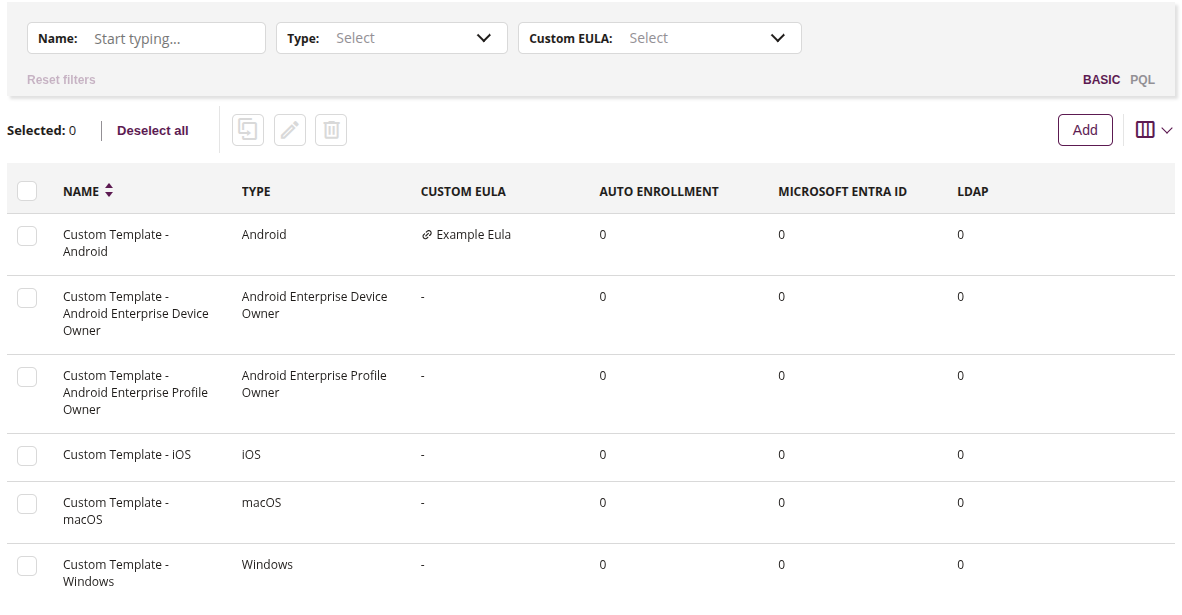
1 Filter of created templates
- Use available filters to search for templates, such as:
- Name
- Type
- Custom EULA
2 Copy
- This action allows you to duplicate already existing templates in the console
- You cannot copy a template with the same name
3 Edit
- This action allow you to edit chosen template from the list
4 Delete
- This action allow you to delete chosen template from the list
- Multiple deletions are allowed
5Add
- This action allows you to add a new template
6 List of templates
- List of all created templates with their parameters