
Automatic
The auto enrollment feature significantly increases the speed and streamlines the process of activating multiple devices.
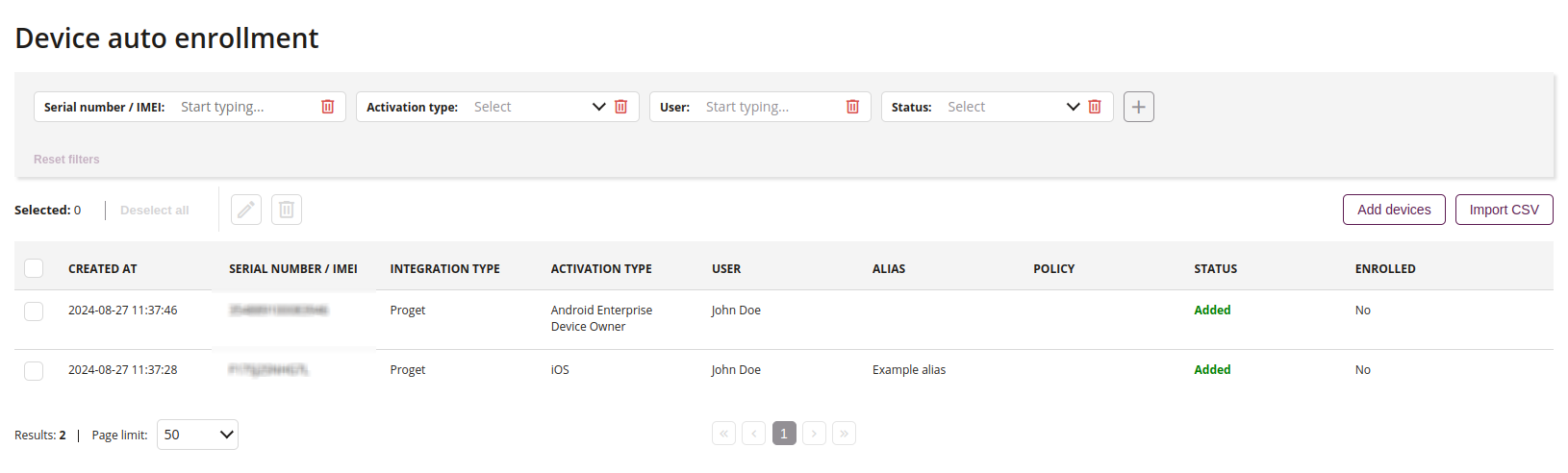
1 Filtering in a text window
- You can also filter the results using keywords. Enter the keyword you want to filter by into the according field. The results are filtered dynamically while entering text.
2 Update registration
- Click on the button if you want to make changes for the added activation
3 Delete registration
- Click on the button if you want to delete added activation
4 Add devices
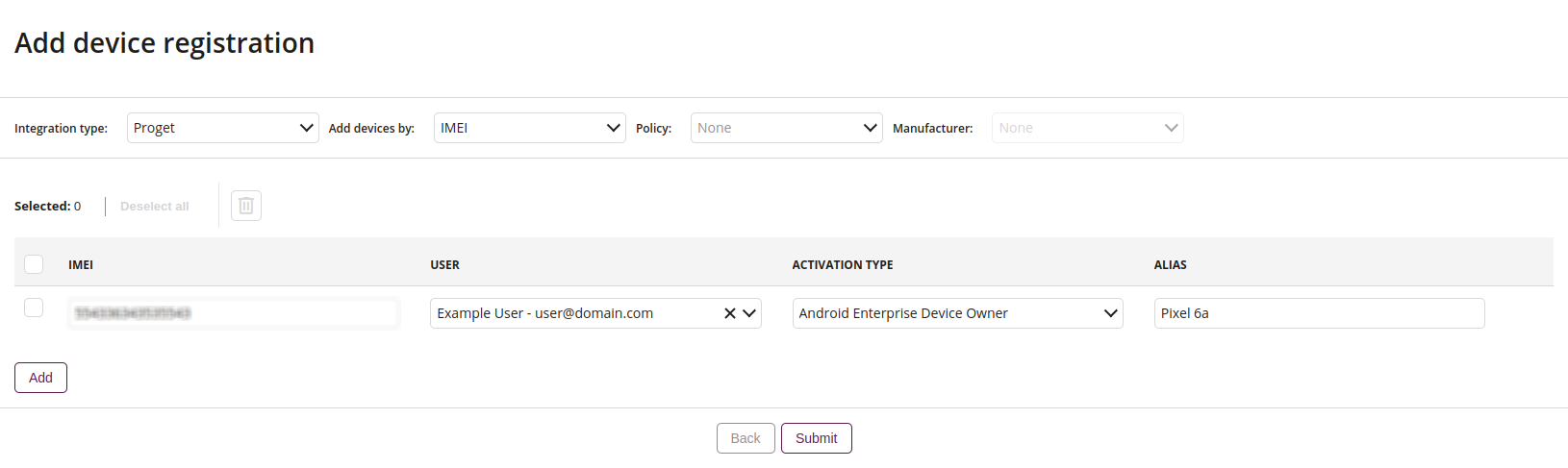
4.1 Integration type
- Select the type of integration:
- Proget – allows automatic registration of the device after installing the application
- KME – allows automatic registration of the device along with the installation of the application. Available only on Samsung devices
4.2 Add devices by
- Select the type of device adding:
- IMEI
- Serial number
4.3 Assign activation template
- This action allows you to assign an activation template to the selected devices from the list
4.4 Assign policy
- This action allows you to assign a policy to the selected devices from the list
4.5 Assign action after activation
- This action allows you to assign reactions after activating the device in the console, such as:
- No action
- Unlink the user from automatic enrollment
4.6 Remove
- This action allows you to remove the added device
4.7 IMEI/Serial Number
- Enter the device identification number
4.8 User
- Enter the user to whom the added device will be assigned
4.9 Activation template
- Assign an activation template for device enrollment
4.10 Policy
- Assign a policy for device enrollment
4.11 Action after activation
- Assign an action to be performed after device activation
4.12 Alias
- Enter an alias for the device
4.13 Add
- Add a new device enrollment
5 Import CSV
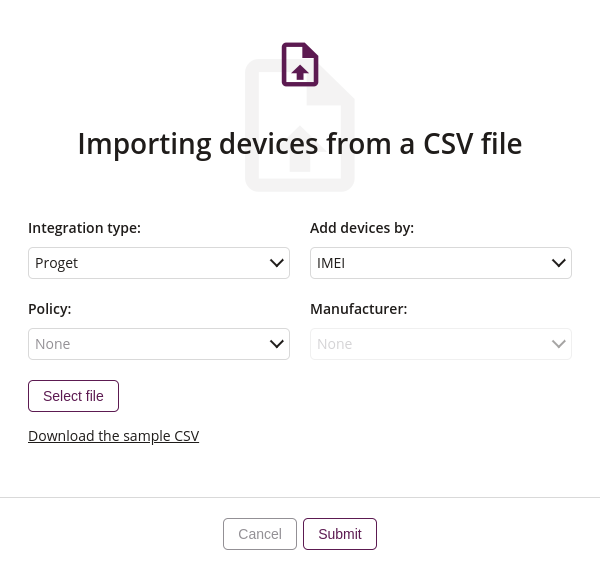
5.1 Integration type
- Select the type of integration:
- Proget – automatic registration of the device after installing the application
- KME – automatic registration of the device along with the installation of the application. Available only on Samsung devices
5.2 Add devices by
- Select the type of device adding:
- IMEI
- Serial number
5.3 Activation template
- Assign an activation template for device enrollment
5.4 Policy
- Assign a policy that will be imposed on the device during registration
5.5 Assign action after activation
- This action allows you to assign reactions after activating the device in the console, such as:
- No action
- Unlink the user from automatic enrollment
5.6 Select file
- This action allows you to add file in order to import devices
- Required
5.7 Download the sample CSV
- This action allows you to download the sample CSV
- This file contains a sample IMEI, user email, registration type and alias
6 Devices list
- List of devices added to auto enrollment
- List of information about the added devices and current status