Apps.
Apps In the apps tab you can find a table with information about applications on the given server.
Links on this page: Add application, Single Android app, Single Android app from file, Single iOS app.
Apps
Updated:
In the apps tab you can find a table with information about applications on the given server.
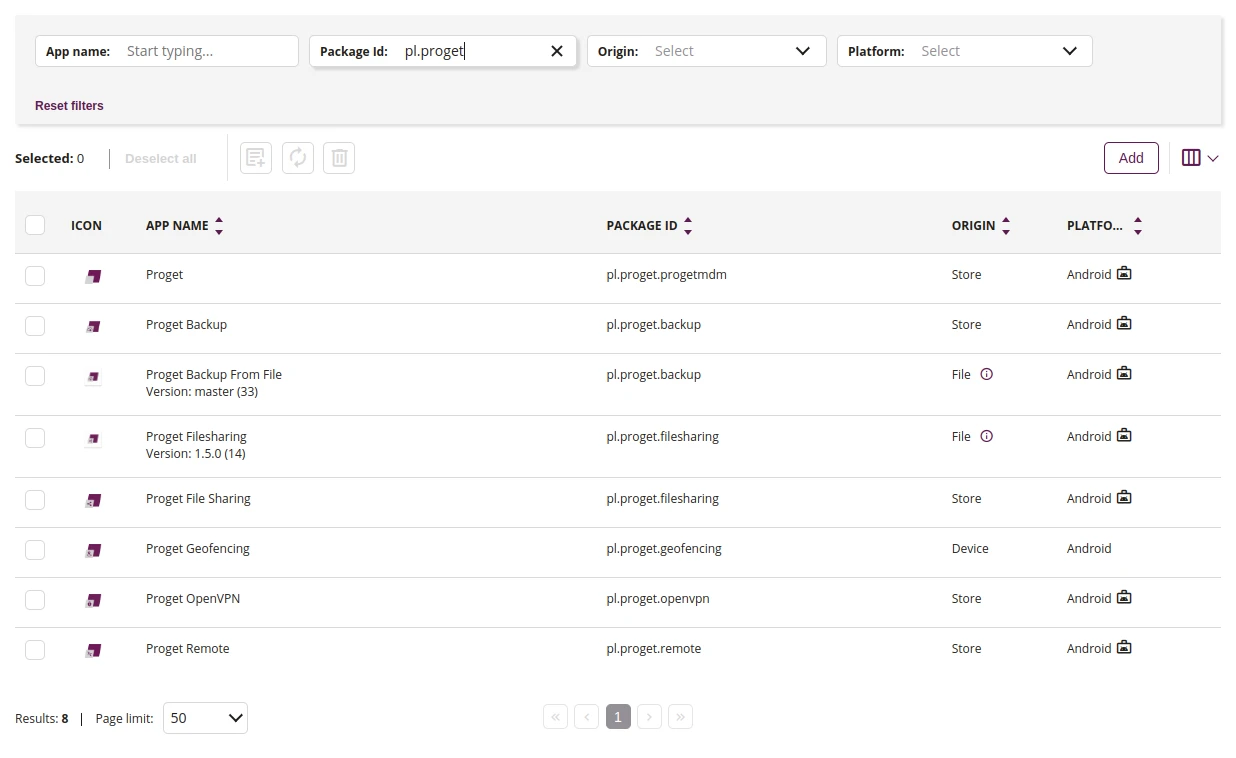
1 Filtering in a text window
- You can filter the results, using keywords. Enter the keyword you want to filter by into the according field. The results are filtered dynamically when entering text.
2 Update rules
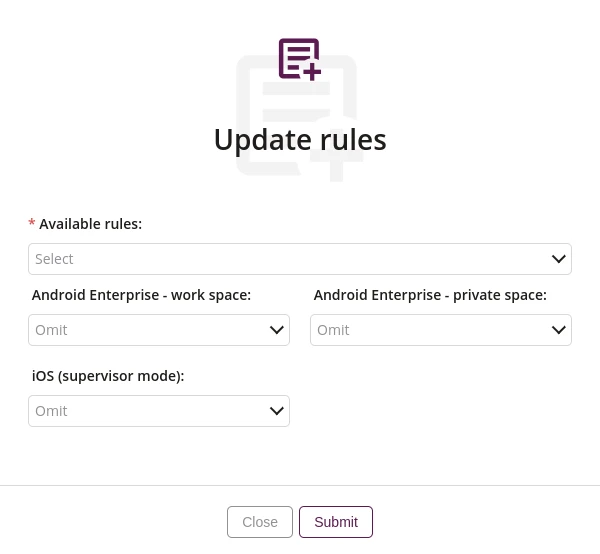
2.1 Available rules
- Select one of the available rules
- Required
2.2 Android Enterprise - work space
- This action allows you to add selected application to the rules of Android Enterprise - work space, such as:
- None
- Unlock apps
- Blacklist
2.3 Android Enterprise - private space
- This action allows you to add selected application to the rules of Android Enterprise - private space, such as:
- None
- Whitelist
- Blacklist
2.4 iOS (supervisor mode)
- This action allows you to add selected application to the rules of iOS (supervisor mode), such as:
- None
- Whitelist
- Blacklist
3 Sync with the store
- This action allows you to sync selected applications with the store
4 Delete application
- This action allows you to delete selected applications
- After clicking the button, you will be transferred to the tab where adding application to the Proget console is possible
6 List of applications
- List of all applications added to the Proget console from the store or from the file