Connectivity
Updated:
Connectivity profile allows you to enter the configuration related to outgoing and incoming communication from the device (calls, SMS) and the use of mobile data.
Compatibility:
- Android (Samsung)
- Android Enterprise Device Owner (Samsung)
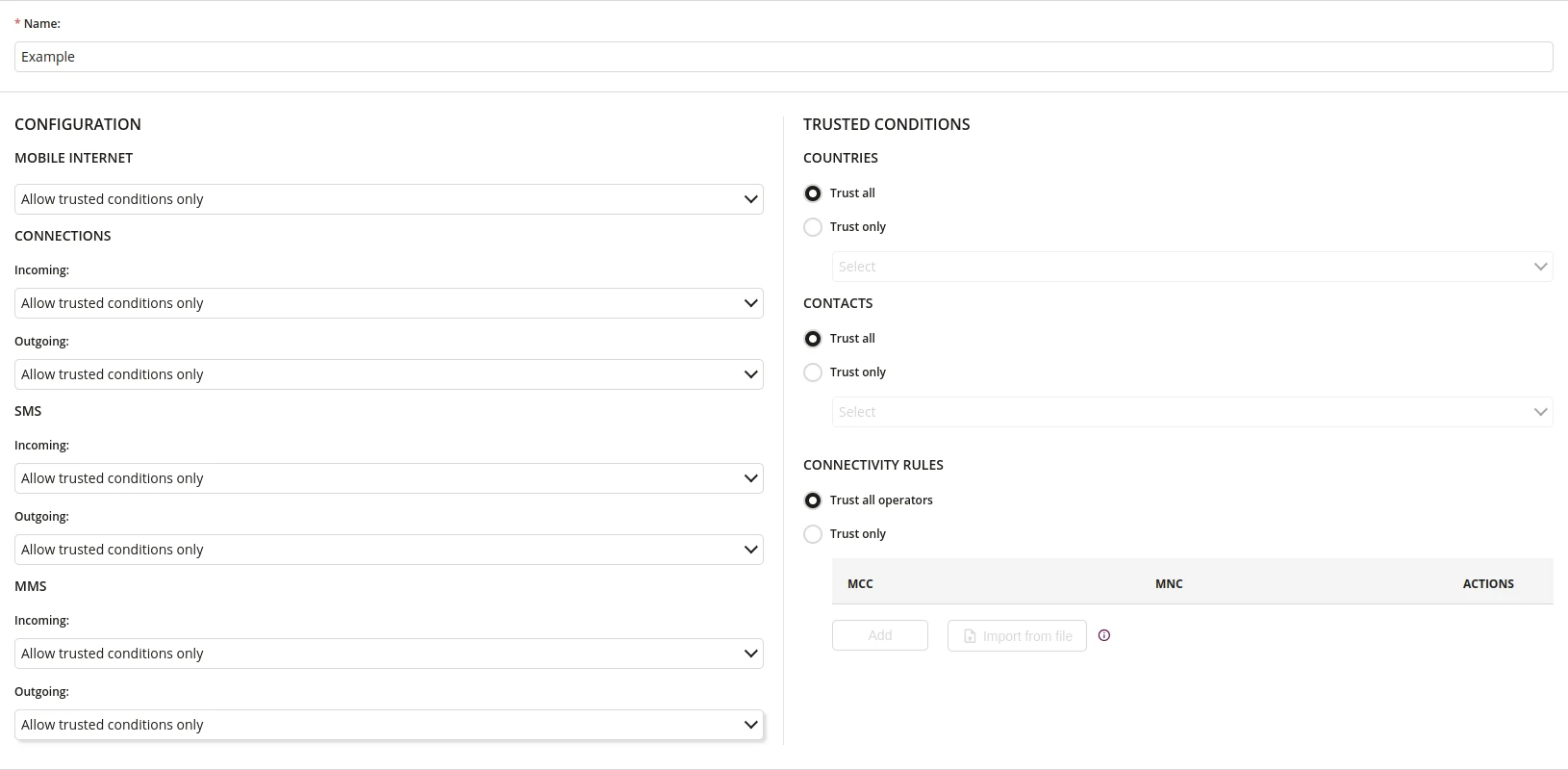
1 Name
- Enter the name of the Connectivity profile
- Maximum length of the text is 255
- Required
2 Configurations
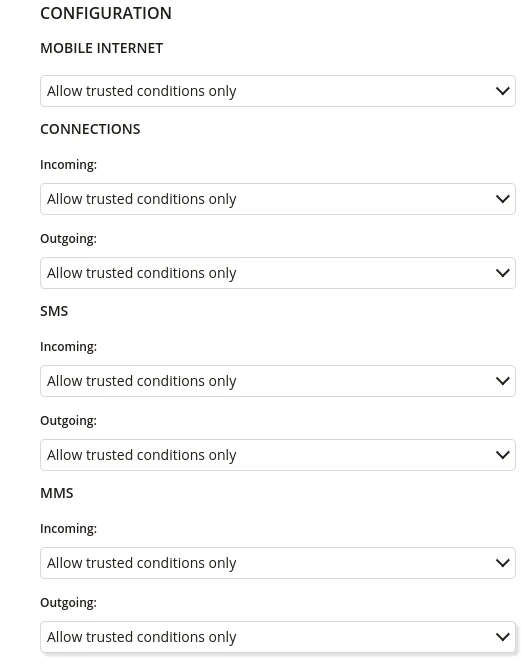
2.1 Mobile Internet
- Specify the principle of using Mobile Internet such as:
- Block all
- Allow all
- Allow trusted conditions only
2.2 Connections Incoming
- Specify the principle of using incoming Connections such as:
- Block all
- Allow all
- Allow trusted conditions only
2.3 Connections Outgoing
- Specify the principle of using outgoing Connections such as:
- Block all
- Allow all
- Allow trusted conditions only
2.4 SMS Incoming
- Specify the principle of using incoming SMS such as:
- Block all
- Allow all
- Allow trusted conditions only
2.5 SMS Outgoing
- Specify the principle of using outgoing SMS such as:
- Block all
- Allow all
- Allow trusted conditions only
2.6 MMS Incoming
- Specify the principle of using incoming MMS such as:
- Block all
- Allow all
- Allow trusted conditions only
2.7 MMS Incoming
- Specify the principle of using outgoing MMS such as:
- Block all
- Allow all
- Allow trusted conditions only
3 Trusted Conditions
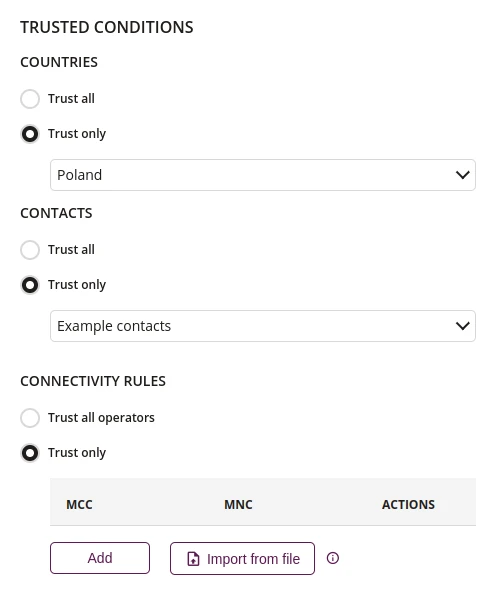
3.1 Countries
- Select a countries where trusted conditions will apply, if selected Trust only
3.2 Contacts
- Select a contacts where trusted conditions will apply, if selected Trust only
3.3 Add Connectivity roles
- Add manually connectivity rules with MCC and MNC codes where trusted conditions will apply, if selected Trust only
3.4 Import for file Connectivity rules
- Import from file connectivity rules with MCC and MNC codes where trusted conditions will apply, if selected Trust only
3.5 Sample CSV file
- Download the sample CSV file with MCC and MNC codes on your device