Profiles.
Profiles Here you can find all of the profiles assigned to this device: profiles assigned from group and profiles assigned directly. From here you can assign profiles directly to the device. 1 Delete profile This action allows you to remove the added profile 2 Edit This action allows you to edit profiles on the device. You can manage profiles on your device by adding and removing them 3 Refresh This action allows you to to refresh the list of profiles 4 Profile list List of all profiles added to the device. The list contains information whether the profiles are added directly to the device or from a group
Profiles
Updated:
Here you can find all of the profiles assigned to this device: profiles assigned from group and profiles assigned directly. From here you can assign profiles directly to the device.
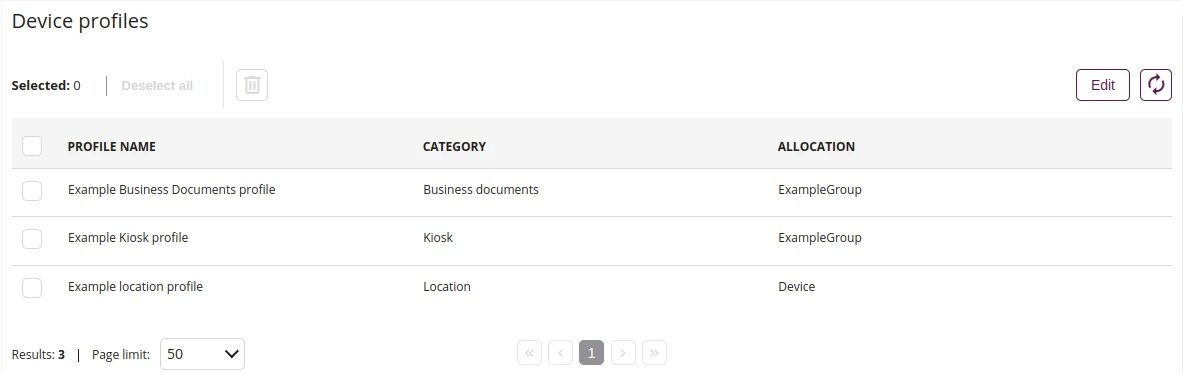
- This action allows you to remove the added profile
- This action allows you to edit profiles on the device. You can manage profiles on your device by adding and removing them
- This action allows you to to refresh the list of profiles
- List of all profiles added to the device. The list contains information whether the profiles are added directly to the device or from a group