Policy
Updated:
Here, you can monitor the policy assigned by administrator and check its application on the device. You can also compare the expected settings with the actual configuration to verify compliance.
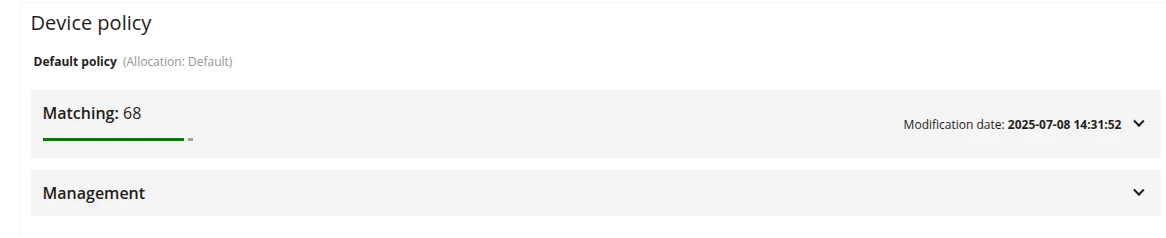
1 Device policy
- Information about the name and assignment of the policy to the device
- Clicking on the policy name will redirect the user to its configuration
2 Matching
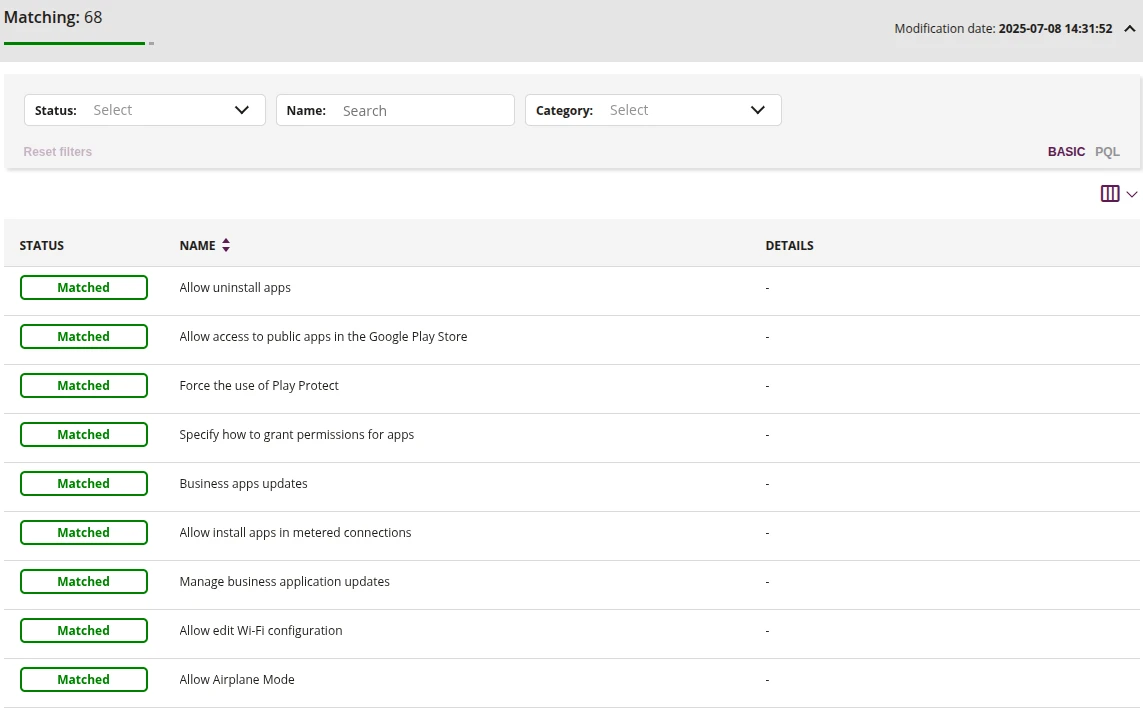
2.1 Policy filter
- Search policies by filtering by:
- Status
- Matched
- Mismatched
- Name
- Start typing the policy name, and the results will be dynamically filtered
- Category
- Applications
- Functionality
- Location
- Password
- Security
- Status
2.2 Policy Matching Table
- Information about policies available in the table:
- Policy Match
- Policy Category
- Current policy status on the device
- Required policy status on the device
- Policy details
3 Management

3.1 Edit policy on the device
- This action allows you to editing the policy directly assigned to the device
3.2 Reapply policy
- This action allows you to re-sending the policy to the device