iOS
Updated:
Kiosk profile allows you to limit the functionality of the device to specific applications. You can use the Kiosk profile to configure the device to use only one or a few specific applications.
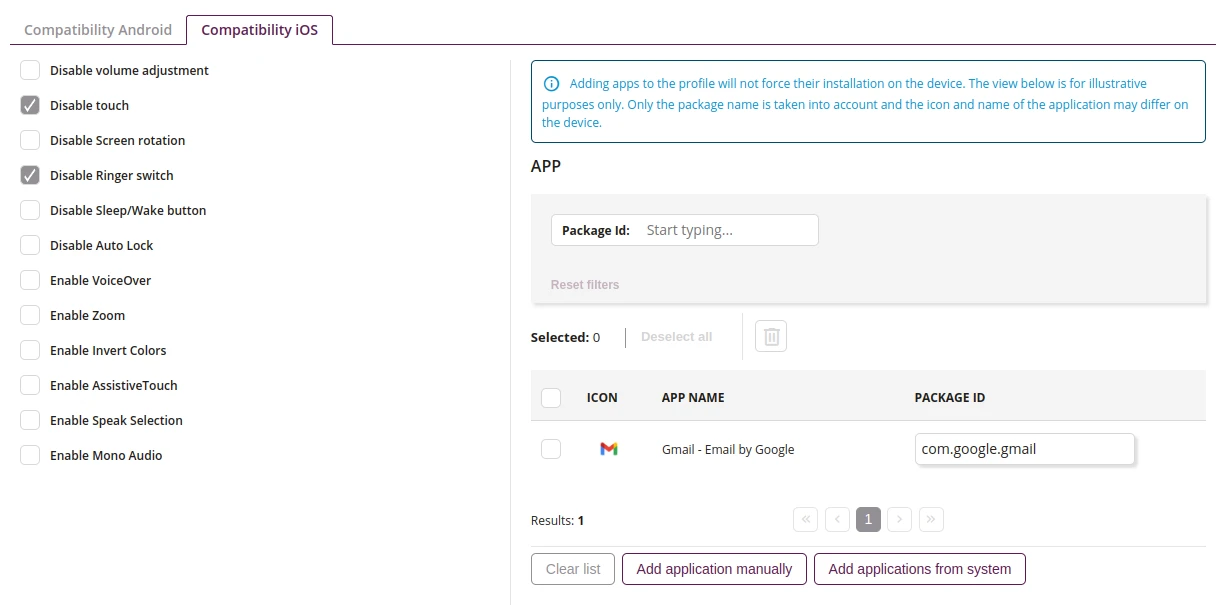
1 Configuration
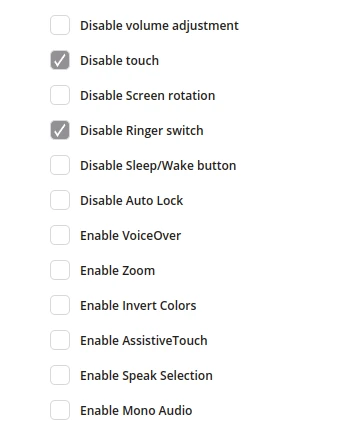
1.1 Disable volume adjustment
- If checked, disable volume buttons in Kiosk
1.2 Disable touch
- If checked, disable touch in Kiosk
1.3 Disable Screen rotation
- If checked, disable Screen rotation in Kiosk
1.4 Disable Ringer switch
- If checked, disable Ringer switch in Kiosk
1.5 Disable Sleep/Wake button
- If checked, disable Sleep/Wake button in Kiosk
1.6 Disable Auto Lock
- If checked, disable Auto Lock in Kiosk
1.7 Enable VoiceOver
- If checked, enable VoiceOver in Kiosk
1.8 Enable Zoom
- If checked, enable Zoom feature in Kiosk
1.9 Enable Invert Colors
- If checked, enable Invert Colors in Kiosk
1.10 Enable AssistiveTouch
- If checked, enable AssistiveTouch in Kiosk
1.11 Enable Speak Selection
- If checked, enable Speak Selection in Kiosk
1.12 Enable Mono Audio
- If checked, enable Mono Audio in Kiosk
2 Apps
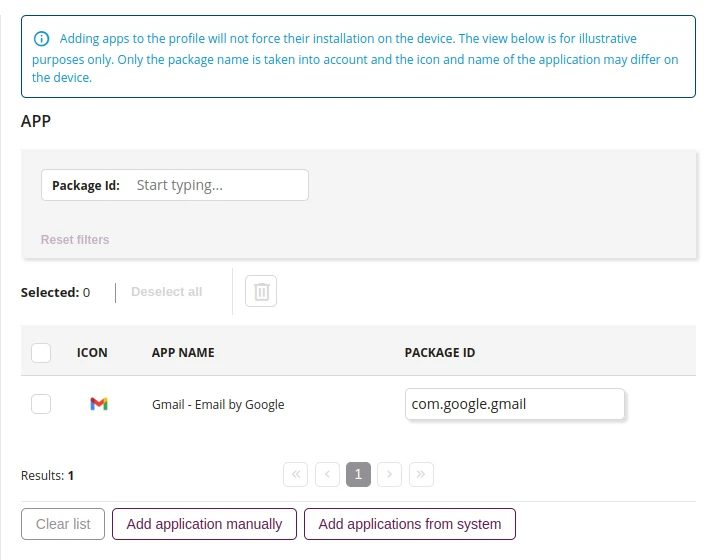
2.1 Remove
- Removes an applications added to list
2.2 Application row
- Details of application added to kiosk
2.3 Clear list
- Remove all applications added to list
2.4 Add application manually
- Add application to the kiosk by providing its package ID
2.5 Add applications from system
- Add applications from list of available applications in the system