List.
List The List view displays all allowed SIM cards (ICCID numbers) added to the system. It allows you to search for a specific ICCID by part of its number, manage the list through bulk operations, export the list to a CSV file, and refresh the data. 1 Filter This action allows you to filter the list of allowed SIM cards by entering a part of the ICCID number 2 Manage Allowed SIM Cards Use the filter to filter the list of available SIM cards by using a portion of the ICCID number. 3 Export This action allows you to export the current list of allowed SIM cards (ICCID numbers) to a CSV file 4 Refresh This action allows you to refresh the list of allowed SIM cards to display the latest data 5 List of ICCID numbers Displays all ICCID numbers added to the allowed SIM cards list
Links on this page: Manage Allowed SIM Cards.
List
Updated:
The List view displays all allowed SIM cards (ICCID numbers) added to the system. It allows you to search for a specific ICCID by part of its number, manage the list through bulk operations, export the list to a CSV file, and refresh the data.
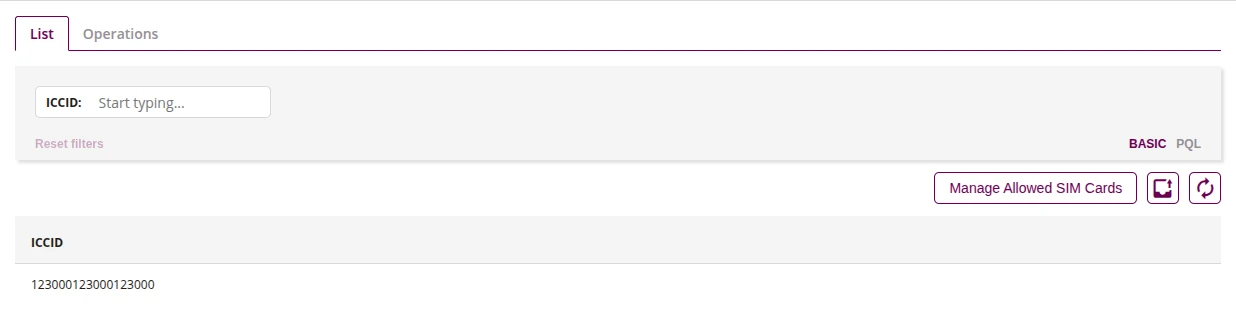
- This action allows you to filter the list of allowed SIM cards by entering a part of the ICCID number
- Use the filter to filter the list of available SIM cards by using a portion of the ICCID number.
- This action allows you to export the current list of allowed SIM cards (ICCID numbers) to a CSV file
- This action allows you to refresh the list of allowed SIM cards to display the latest data
- Displays all ICCID numbers added to the allowed SIM cards list