
System bug reports
NEW
The System bug reports tab allows the administrator to request the generation of an Android system bug report (bugreport/dumpstate) on the device. After the user confirms the ‘Share’ action in the system notification, the report is sent to the MDM server and displayed in the console for diagnostic purposes. Reports older than 30 days are automatically deleted.
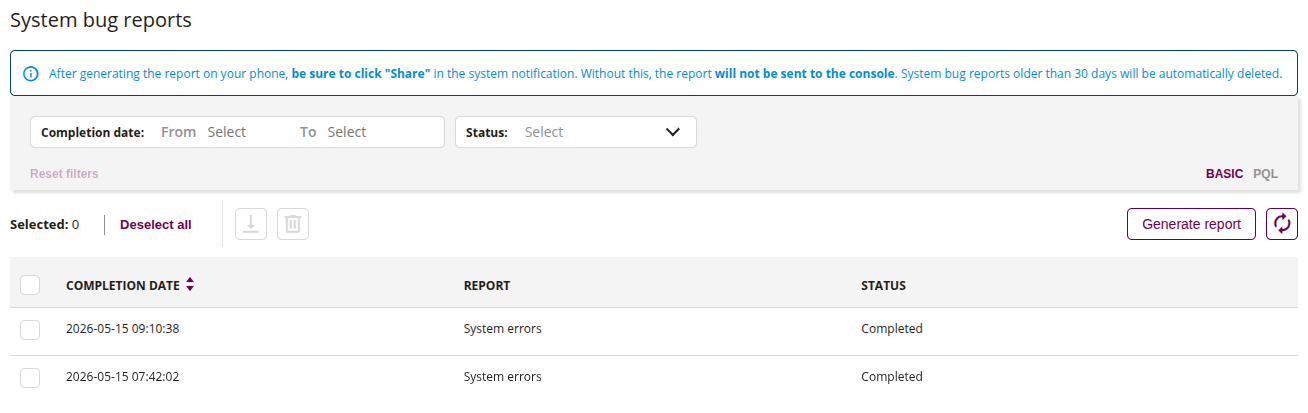
1 Filters
- Filters allow you to search for generated reports by data, such as:
- Completion date
- Status
2 Download
- This action allows you to download the generated report file from the device
3 Delete
- This action allows you to remove selected record from the report list
4 Generate report
- This action allows you to request the device to generate a system bug report
- After clicking, the device receives a task to generate the report
- The user must confirm the ‘Share’ action in the system notification on the device (required for the report to be sent to the console)
5 Refresh
- This action allows you to refresh the report list
6 List of generated reports
- List of all generated reports and its parameters
- Select reports using checkboxes to perform bulk download or delete actions